
Product features
Simple tools for two households.
Every feature is built to bring clarity, accountability and calmer conversations between parents.
ToneShield
Say it without raising the temperature.
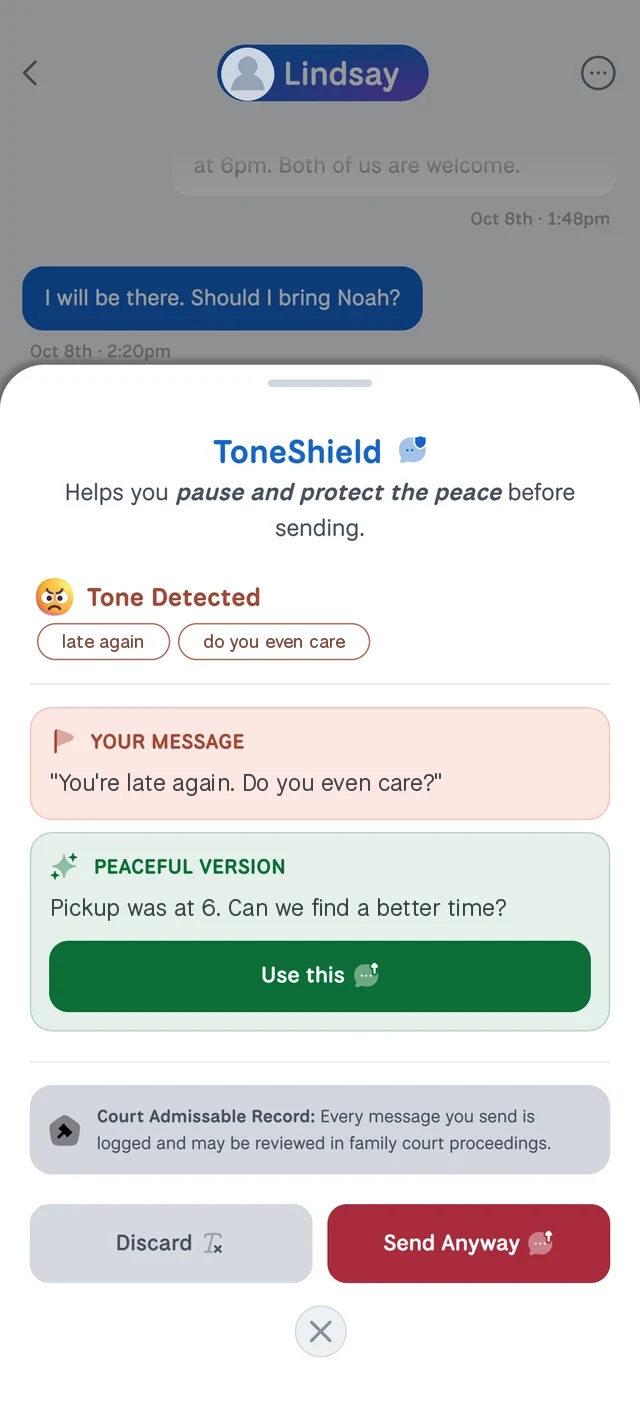
ToneShield reviews your message before it goes out and flags wording that could escalate. It shows the tone it detected and suggests calmer wording, and you choose whether to use it.
- See the tone it detected in your draft
- Get calmer wording that keeps your meaning
- Use the suggestion, or send your message anyway
- Messages sent anyway are flagged as potentially offensive
Chats
One reliable place for every conversation.
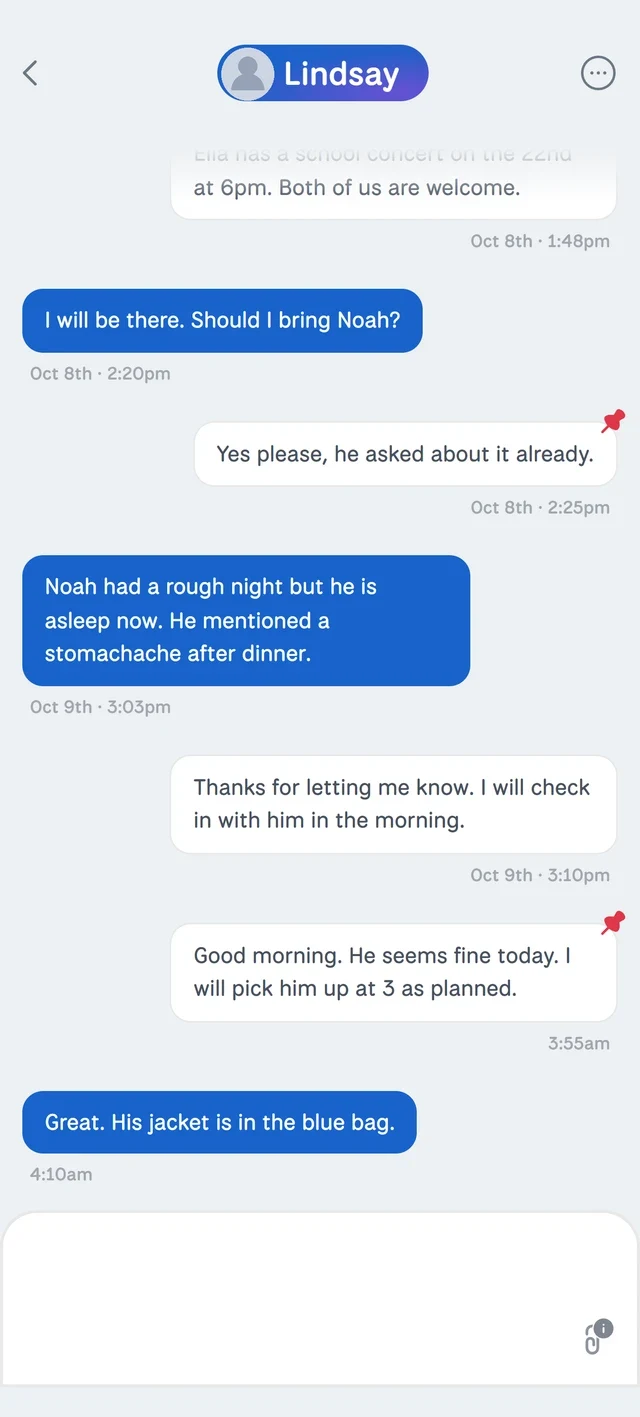
Move co-parenting discussions out of texts and email and into a single secure inbox, so there is one record of what was said.
- Sent and read times logged automatically
- Pin, bookmark and search any message
- Pause a conversation, then resume when you're ready
- Messages can't be edited or deleted
- Every message is logged and may be reviewed in family court proceedings
Peace is the purpose
Built to make calm the default.
Most co-parenting apps let you send anything, as often as you like. Peaceful Co-Parenting is designed the other way around, with guardrails that keep communication steady even on a hard day.
A tone check on every message
ToneShield reviews each message before it sends. If the wording could escalate, you see calmer options first. Send it anyway and it is marked as potentially offensive.
Sensible message limits
Generous daily limits keep a heated moment from turning into a flood of messages.
No read receipts
Messages show as Delivered, never Read, so nobody is waiting on an instant reply.
Files go where they belong
Documents and photos live in Documents and Memories, not buried in a fast-moving chat.
No editing, no deleting
Every message stays exactly as sent, so both parents always see the same history.
Invitations that can't pester
A co-parent invitation can be sent only three times, so it can never become harassment.
Calendar
One calendar for both parents.
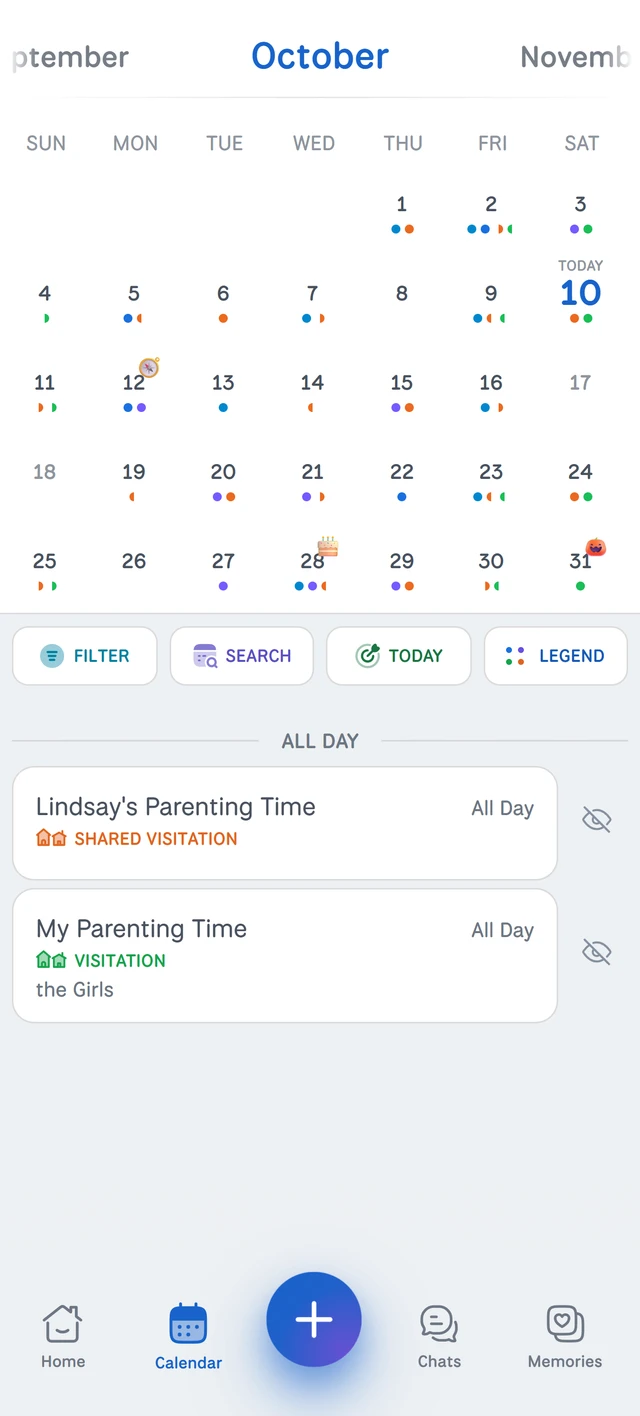
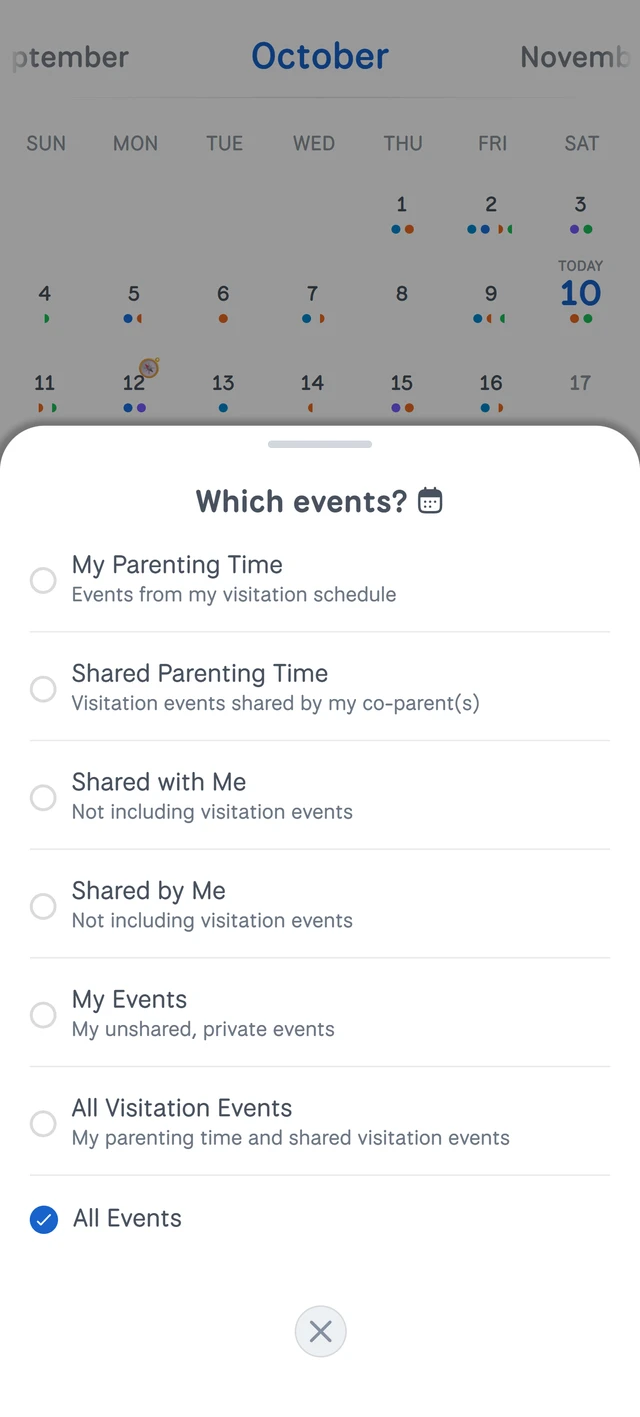
Parenting time, appointments and family events in one color-coded view, with a legend that explains every marker.
- Filter the calendar to see just what you need
- Share an event and choose who gets notified
- Your parenting-time schedule appears automatically
Parenting time
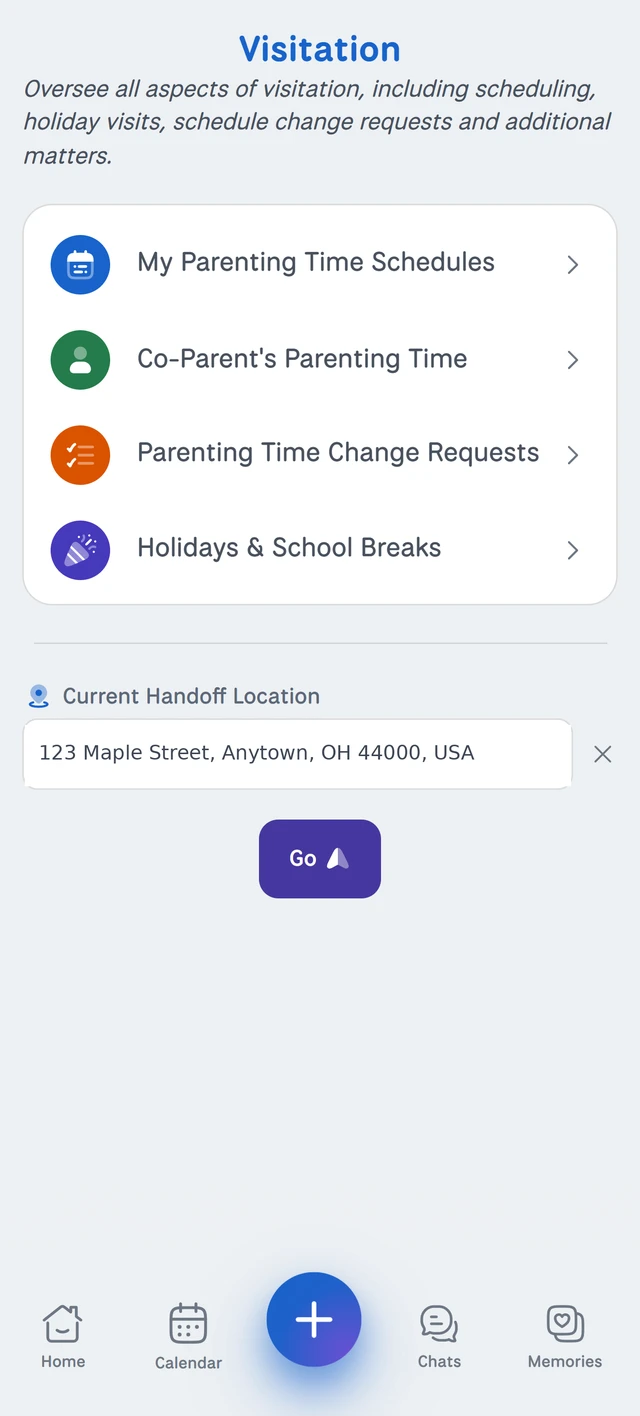
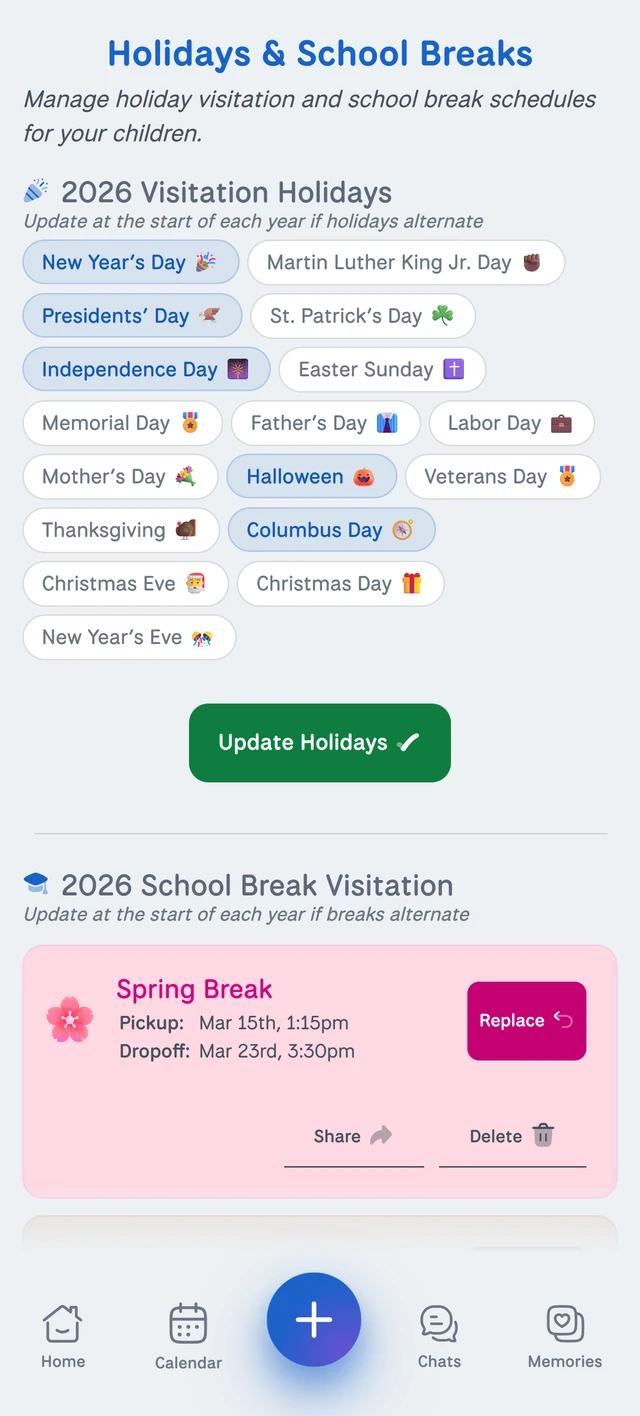
Tell us what you want. We'll build the schedule.
We'll generate a full parenting-time schedule based on what you want, and you can preview it before you save. Share it, and it appears on your co-parent's calendar automatically.
- Weekends, weekdays or longer repeating cycles
- Holidays and breaks, including years that alternate
- Request a change for a specific date, and the other parent reviews it
Expenses
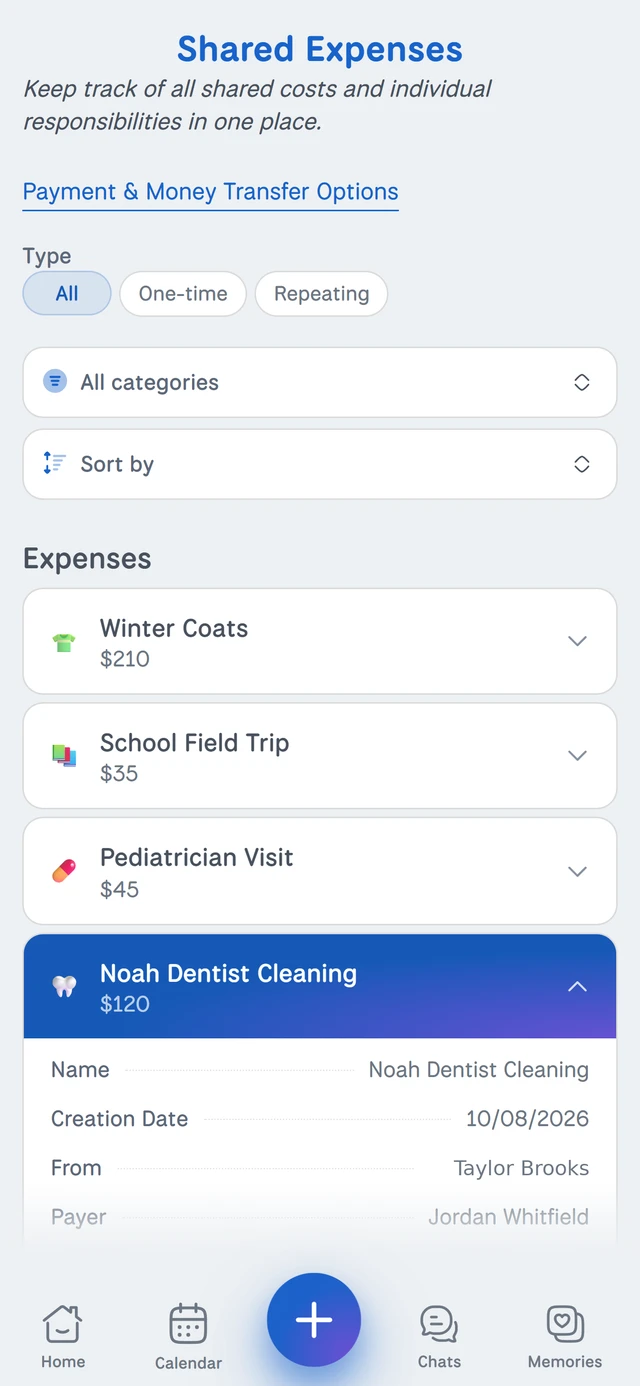
Shared costs, without the arguments.
Log expenses, attach receipts and keep payment records in one organized place. When it's time to settle up, pay or request payment through options like Zelle and Apple Cash.
- Log costs with receipts attached
- Use well-known payment platforms to send money to your co-parent, no matter where they bank
- Export expense records as a PDF
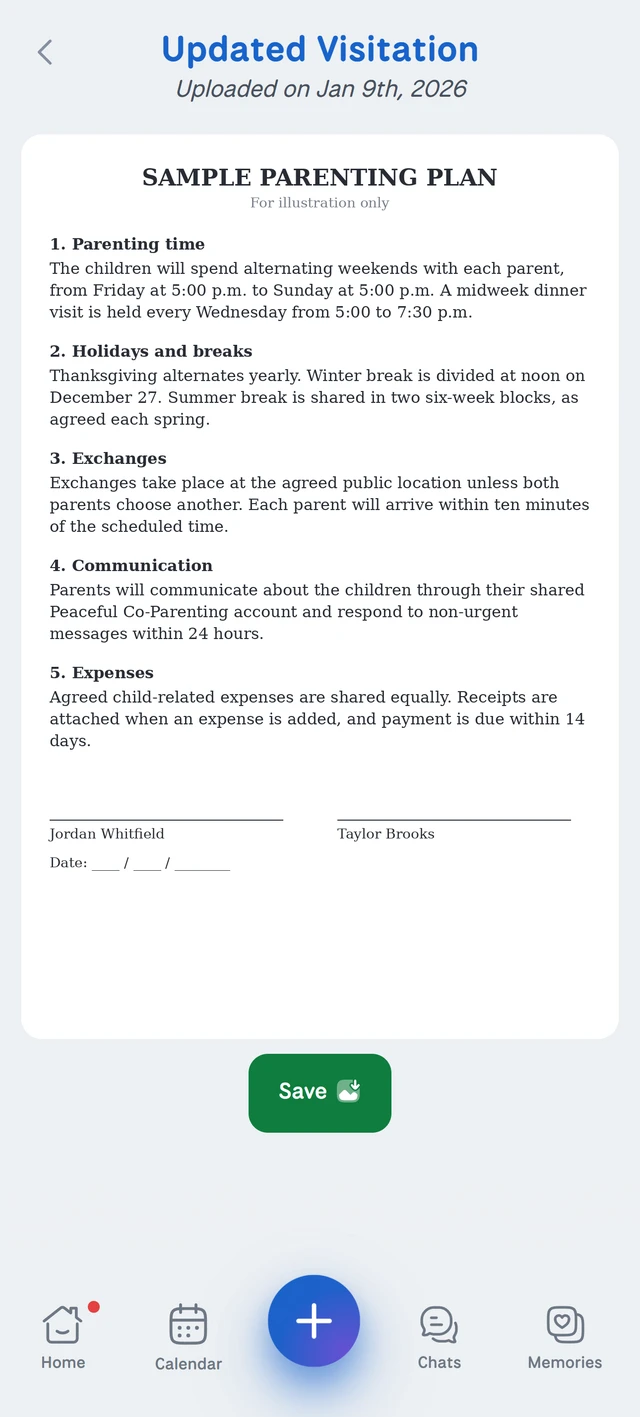
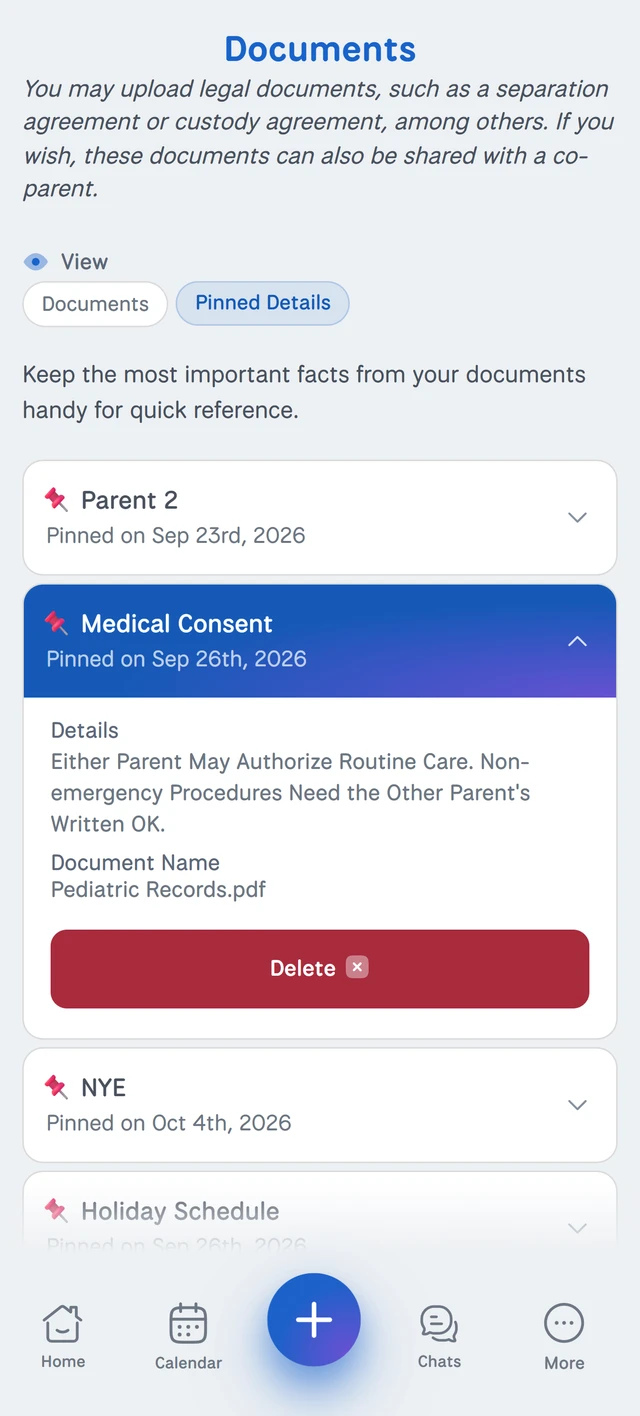
Documents
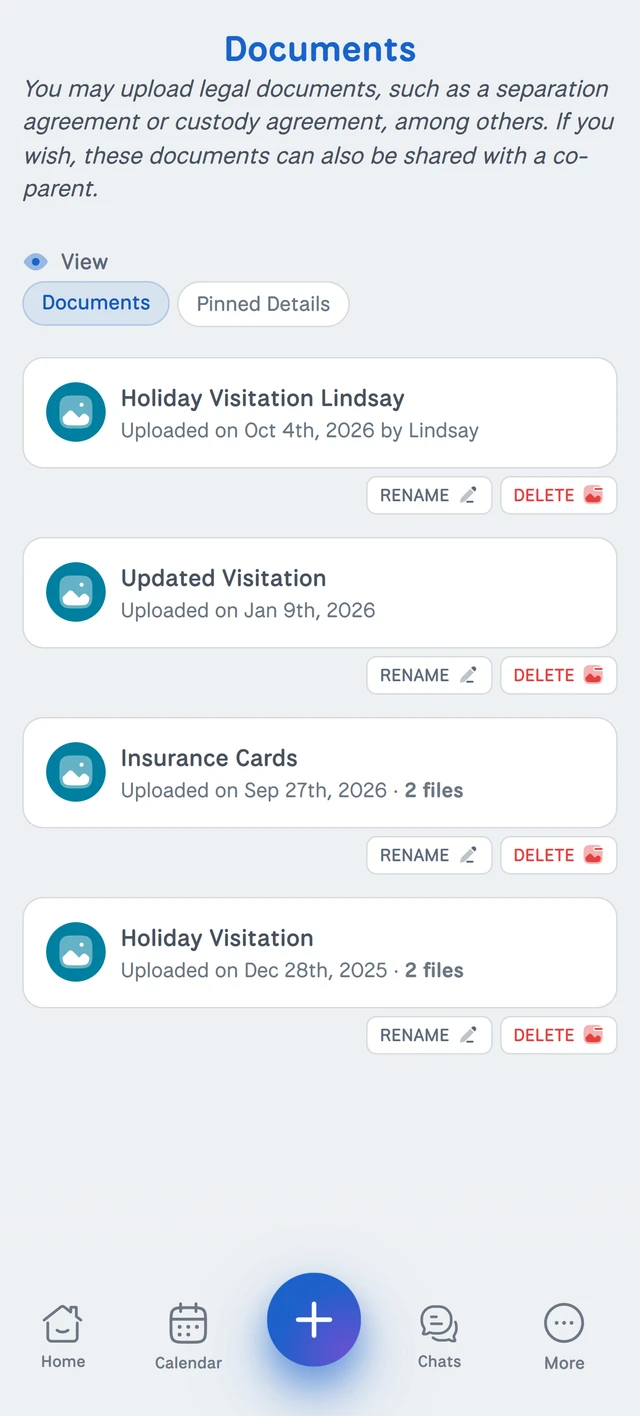
Important details, always within reach.
Upload any document and use Pinned Details to store the important information about it, so you never have to dig through the full text to find what you need.
Share any document with your co-parent, your attorney, or both.
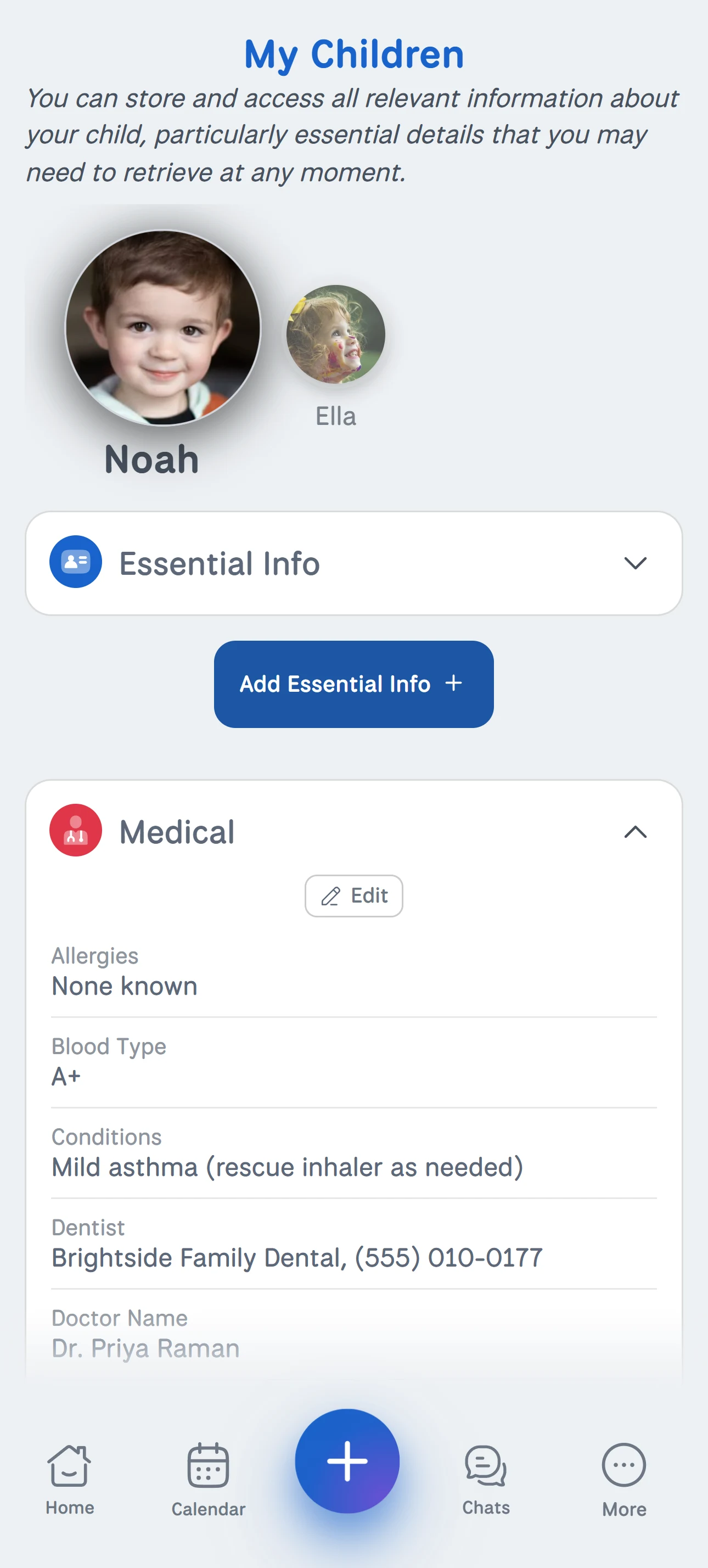
My Children
Everything about your kids, one tap away.
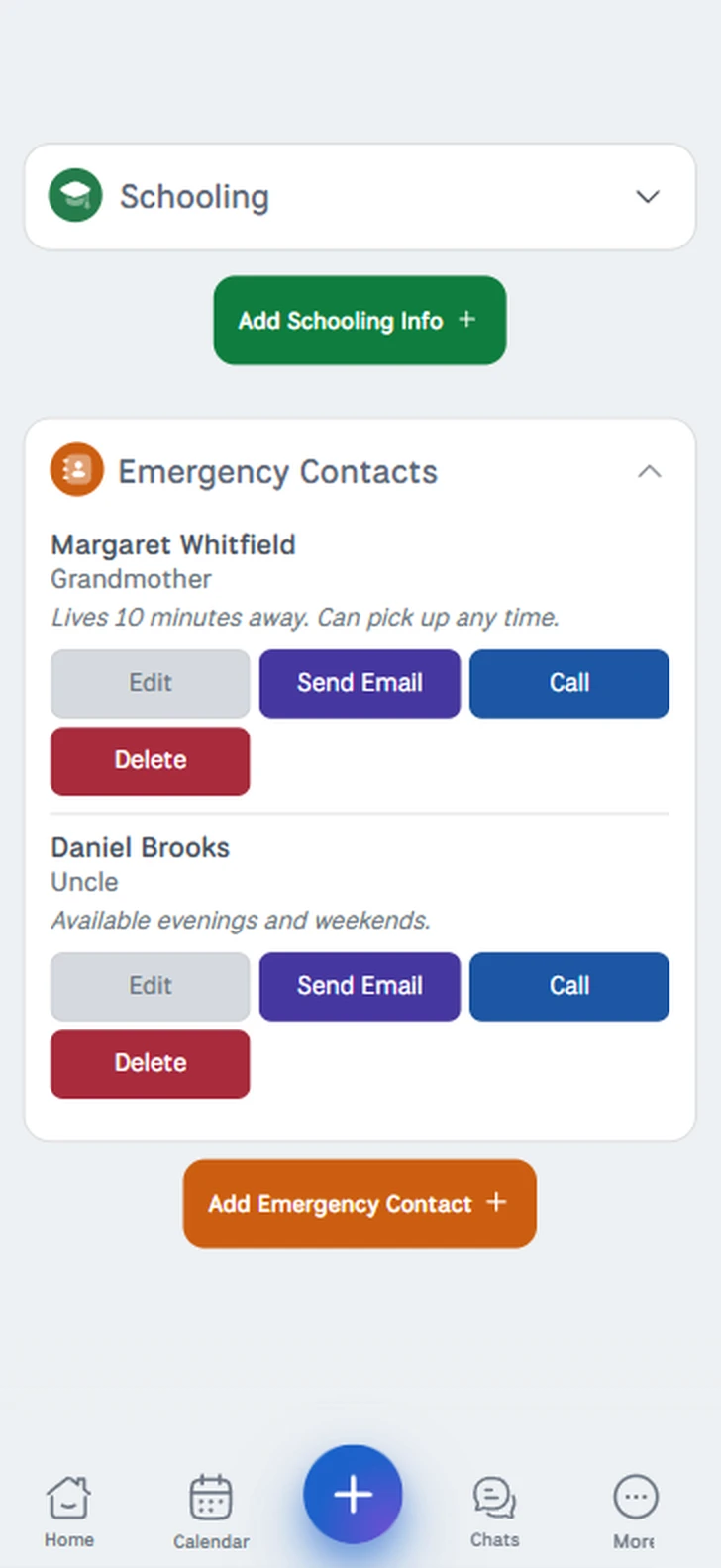
Keep the details you need at a moment's notice, like allergies, doctors, school information and emergency contacts, all in one place for each child.
- Medical and school details for every child
- Emergency contacts a tap away
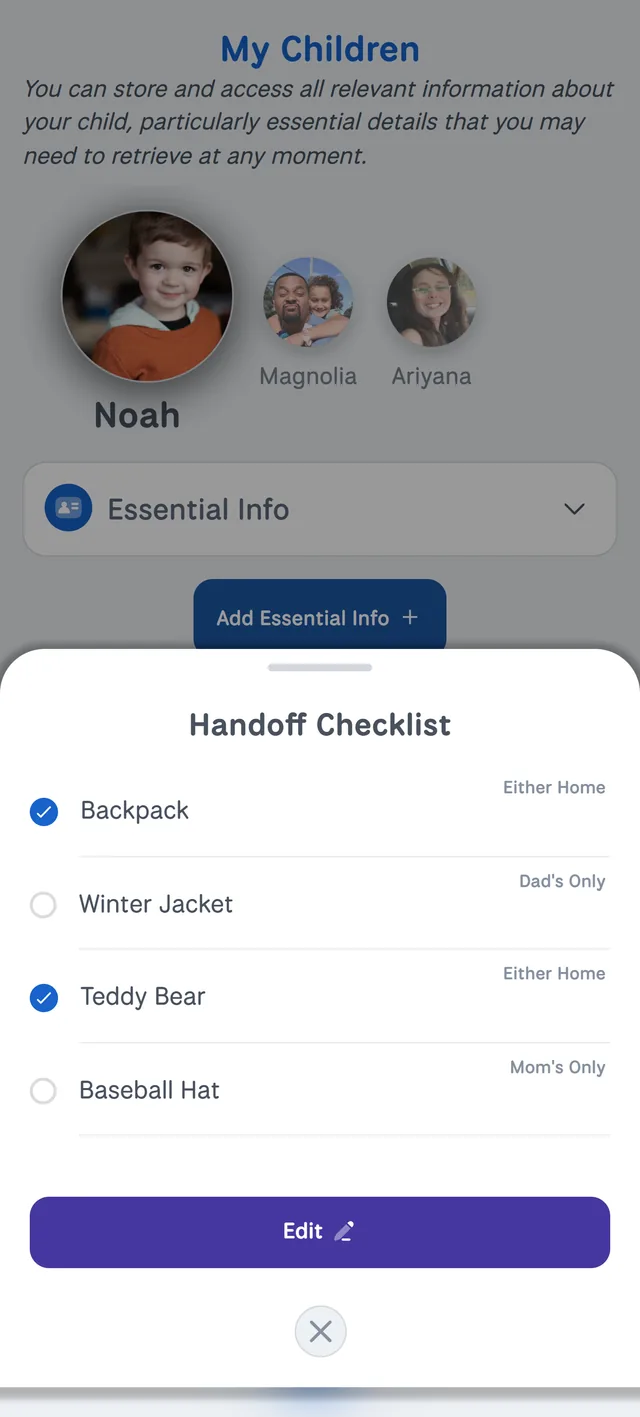
- A handoff checklist so nothing gets left behind
- Send updates with text, images and documents
And everything else a family needs.
The details that keep day-to-day co-parenting running smoothly.
Pickup and drop-off
Handoff checklists for every exchange, plus change requests the other parent can approve or decline.
Memories
Share photos and milestones with your co-parent as they happen.
Children and emergency contacts
Medical, school and custom details for each child, with emergency contacts a tap away. Send updates with text, images and documents.
Records export
Export chats and expenses as PDFs, labeled as exhibits, to download or email.
Notifications that fit your day
Instant alerts when something is shared, plus morning and evening summaries of today and tomorrow.
More than one co-parent
Add co-parents and share with one or all of them.
Works on any device
Install on iPhone, Android or desktop and stay in sync everywhere.
Light and dark modes
Switch between light and dark to suit your eyes and your day.
Instant updates
New features and fixes arrive automatically. Nothing to download or install.
Account security
Reset your password and sign out of every device at once.